1
soCMS Content Management System User Guide
1. Overview
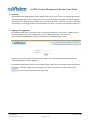
The soCMS Content Management System (CMS) allows you to control your site, editing page content
and uploading images as well as altering the site structure by adding new pages and removing pages.
The site has been designed specifically for you and the administration system ties directly in with your
main website, meaning any changes you make within the admin system will automatically reflect on it.
2. Logging in and Logging Out
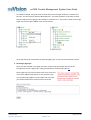
The soCMS system has a secure login area, encrypting passwords to ensure privacy. When you first
access the admin side of your site (generally your site URL with /admin on the end. E.g.
www.yoursite.com/admin) you will be presented with the following logon screen.
Type in your username and password and click Logon. Your username and password will then be
authenticated and you will be logged in.
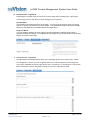
You should always properly log out of the soCMS system rather than just navigate away to a different
web page or closing the page down (especially if you share your machine) to do this click on the
link next to your username in the top section.
soCMS Help
©soVision Ltd April 2008
Page 3 of 25
Version 1.0