1
Ref EEMUG_120320
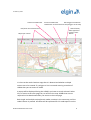
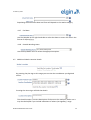
If you wish to continue with multiple notices and the selection includes the USRNs
you wish to notice select Yes. Any USRNs not required can be removed by unticking the check boxes below.
Other details about the works can be entered in the normal way.
Please note that the actual coordinates sent through on the notice will be the
centre lines of the USRNs within the polygon or buffer. If you wish to send through
polygons you will need to create each notice individually. Use the copy notice
button in the search facility to help with this.
6.2
Works Reference
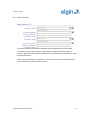
The Works Reference for each notice is based on the works reference supplied in
the notice form. The works reference is truncated to 21 characters if necessary,
and a /01, /02 etc. is appended to each CC notice being sent. These values do not
appear in the grid.
6.3
Project Reference
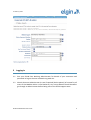
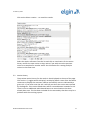
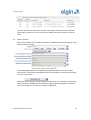
If sending more than one CC notice then a Project Reference and Description
must be supplied. By default the project reference is the first 21 characters of the
supplied Works Reference, unless a Project Reference has been supplied in the
previous page.
ELGIN EToN Module User Guide
21