1
OnBoard Pro User Guide
1
1
What is OnBoard Pro?
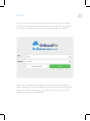
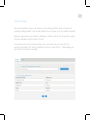
OnBoard Pro is a cloud based application so you don’t need to install any software
to use it, all you need is an internet connection and an internet browser.
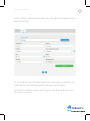
OnBoard Pro is designed to help letting agents and landlords rent their
properties. From the moment you find a tenant to handing over the keys,
OnBoard Pro is designed to make the process as efficient and easy as possible.
This guide includes all the information you need to work with OnBoard Pro and
make full use of all it has to offer. You can use OnBoard Pro with any desktop,
laptop or tablet but it is advised that your device has a screen of 9.7 inches or
larger as smaller devices can not function correctly.
Browser
You can use all internet browsers (for example, Internet Explorer, Firefox, Safari, and Opera)
but we recommend Google Chrome for the best experience. It can be downloaded via their
website www.google.com/chrome It’s also recommended that you use the most up to date
version of the browser that you choose.
Internet Connection
OnBoard Pro requires a constant and stable internet connection to function. However, our
mobile App for Android and iOS tablets allows you to take property inventories and meter
readings on the go without an internet connection.
OnBoard Pro