1
Next Steps
General Overview – Checking Your Entries
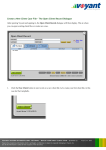
To double-check all of your inputs, visit the General Overview screen.
Select Overview > General in the left navigation.
The General Overview presents a summary of the inputs used to create the plan in
view. These inputs may include events, income, savings, investments, pensions,
property/assets, protection policies, debts, and expenses.
Each item in the overview is a link, which provides quick access to
the item within the plan. To view the details of a savings account, for
Initial First-Year Values
example, simply click the name of the account or its balance in the
The values shown in the Overview are generally
Overview to visit the Savings screen, where these details can be
initial values, as of the start of the plan.
viewed and the account edited, if necessary.
Transactional information such as future
deposits or withdrawals, are to be found in the
details of the Let's See charts. For example, a
future unsecured pension that will be funded
later in the plan will be shown in the Overview
to have an initial balance of £0. Future
expenses are an exception. John's milestone
expense, the future purchase of a Porsche
Caymen, will show the initial amount of the
expense once it becomes active in the plan.
VOYANT ADVISER: INTRO TUTORIAL 1 - BUILD YOUR FIRST CLIENT CASE
Edition. 2, 09-07-2012 • Voyant, Inc. 2012
Voyant, Inc. proprietary information which is privileged, confidential, or subject to copyright belonging to Voyant, Inc.
Use of this information is solely for the recipient of this document.
59