1
24
Handset tones on/off
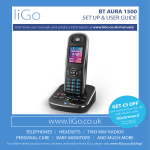
Your BT Concero 1500 has a series of tones designed to alert you
to certain situations. A tone will sound: when the battery is low;
when you move out of range of the base and there is no coverage;
to confirm each button press (key beeps). You can switch the
handset tones on or off.
button to open the main menu.
1. Press the
2. Press
.
or
until the display shows HS SETTINGS and press
3. Press
or
until Tones is displayed, press
4. Press
or
to select the tone you want: Key Beeps,
to select.
to select.
Battery low or out of range and press
5. Press
or
to display either On or Off and press
to confirm. You hear a confirmation tone.
6. Press and hold
to return to standby.
Handset name
You can give each handset a name up to a maximum of
10 characters, for example Kitchen. The handset will still
display its number.
1. Press the
button to open the main menu.
2. Press
or
and press .
until the display shows HS SETTINGS
3. Press
or
to select.
until Hs Name is displayed, press
4. Press to delete characters and use the keypad to enter the
name you want, then press to confirm.
5. Press and hold
to return to standby.
If you experience any problems, please call the Helpline on Freephone 0800 218 2182* or visit www.bt.com/producthelp