1
Welcome to the iDraft Pro User Guide
Thank you for choosing iDraft software. iDraft Pro has been designed to be intuitive
and easy to use, though we expect that the user will have knowledge of costs
drafting and this User Guide is not intended to be a guide on how to draft bills of
costs.
Running iDraft Pro:
Once installed you can access the software either through the desktop or quick
launch icons (if you chose to create a link from those places) or by clicking Start, All
Programs, iDraft Pro 1.2, iDraft Pro.
Example Documents:
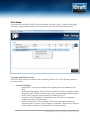
A number of example PR1 files can be found in the ‘Example Files’ folder within the
Program folder (normally C:\Program Files\iDraft Pro 1.2). These files are based on
the precedents outlined on the Ministry of Justice website.
A number of example templates can be found within the ‘Example Templates’ folder,
which can also be found within the Program folder.
www.idraft.co.uk | Copyright 2012 iDraft LLP | 3