1
MODEL ELECTRONIC RAILWAY GROUP
TECHNICAL BULLETIN G16/86
Object Types
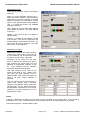
Track Section
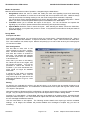
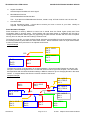
A track section is an electrically isolated
section of track. It is easier to create a
Track Section device before drawing the
track itself – see Design Tips.
Enter a unique ID. If the section has a track
circuit, tick the box and enter the RPC input
bit to read its state.
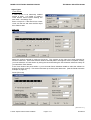
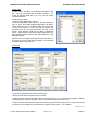
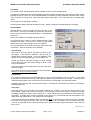
Plain Line
Select the symbol required to make up the layout. The symbols on the right form fixed crossings for
scissors crossovers. If the track element needs to animate (either route lights or track occupation or both),
you must reference a Track Section by ticking the box and entering the Track Section reference exactly as
you named the Track Section.
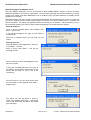
If the Track Section has points within it, you must enter Route Animation details to allow the software to
animate the track correctly. Tick the box and enter up to three point references. (See the Route Animation
example on page 10.)
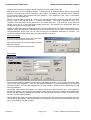
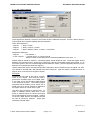
Points (Turnouts)
[Cont. over >>>]
© 2005 Stephen Parascandolo & MERG
Page 3 of 14
G16/86/1/3