1
WP-4511/4515/4521/4525/4530/4531/4535/4540/4545/4590/4595
User’s Guide
Guidelines
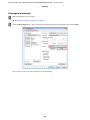
Menu names used in this guide
Although the menus, setting items, or option names displayed on the LCD screen may differ from your actual product,
the method of operation is the same.
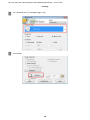
Warnings, Cautions, and Notes
Warnings, Cautions, and Notes in this manual are indicated as below and have the following meaning.
w Warnings
must be followed carefully to avoid bodily injury.
c Cautions
must be observed to avoid damage to your equipment.
Notes
contain important information and useful tips on the operation of the product.
7