1
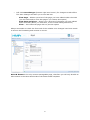
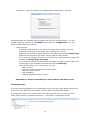
• Left click Save Changes (bottom right hand corner) for changes to take effect. The Save Changes will take you to one last box: -‐ -‐ -‐ View Page – Shows a preview of the page you have edited within the CMS (You will still need to close this page if you choose this option) View Page and Close – Shows you a preview of the page you have edited within the CMS (When you close this, it won’t need closing elsewhere) Close – Just closes the page with no preview option Always remember to check the front end of the website once changes have been made to ensure the formatting and content is correct. News & Events is the only content manageable page, therefore you will only be able to edit content in the News Article tab of the News Detail template. 6