1
Example: The value of increasing a car's maximum speed from 90 to 100 is
likely to be more valuable than increasing it from 150 to 160 (unless you are
racing). So maximum speed cannot be used directly as a measure of the
DM's preference on the criterion Speed.
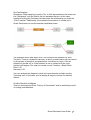
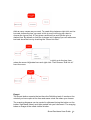
Modifiers: These capture the effects where if two options are included in a
solution then some elements of their cost or benefit mapped world can be
modified. When a Modifier Interaction is added between two Options it
affects the combined Benefit and Cost the Options contribute to the
Solutions they are in. For instance the effect of a mail shot can be enhanced
if it is accompanied by television advertisements.
Option: This is the label given to a physical object or a concept. Within the
model these are the things that you make decisions about. Such as best
supplier, next strategy or the right person for the job.
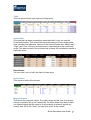
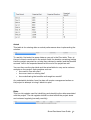
Score: To identify the overall performance of the options against all the
criteria, the options must be scored, by entering the level of the attribute that
each option achieves. Scores can be factual speed, height, weight, time,
cost or subjective judgment or preference. To identify the overall
performance of the options scores are transformed to values with the use of
the mapping scale, which is consequently multiplied by the weight to give the
weighted mapped value of the option in each criterion. These are then added
up to come up with the overall value of the option
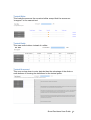
Value Tree: A tree that consists of branches and nodes representing all the
criteria and criteria topics of the decision problem.
Weighted Value: To enable the user to independently manipulate the
importance of criterion, the weight is applied after the mapping to give a
weighted value or contribution.
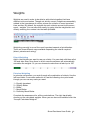
Weights: Within the model every real world score is mapped onto a scale of
0-100. Weights allow users to adjust the relative scales so that 100 on one
scale is equivalent to 100 on another scale.
Smart Decisions User Guide 109