1
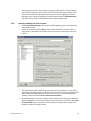
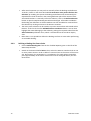
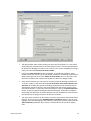
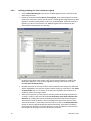
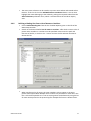
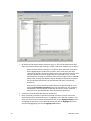
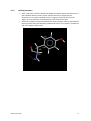
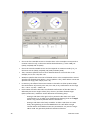
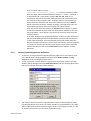
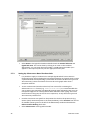
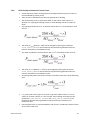
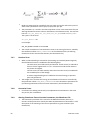
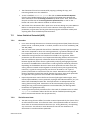
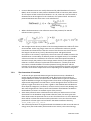
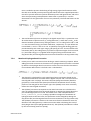
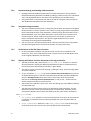
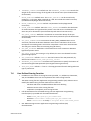
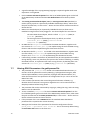
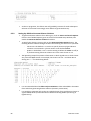
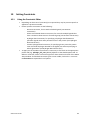
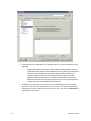
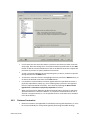
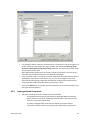
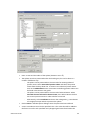
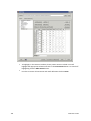
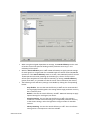
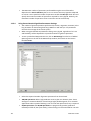
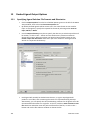
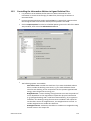
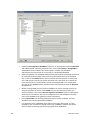
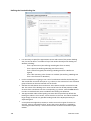
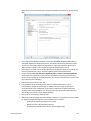
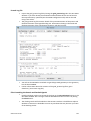
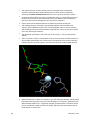
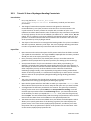
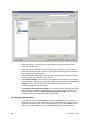
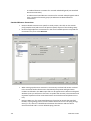
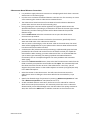
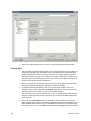
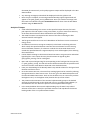
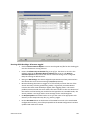
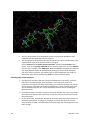
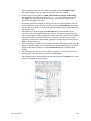
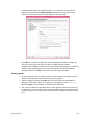
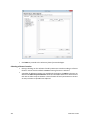
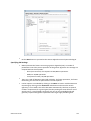
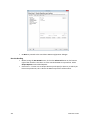
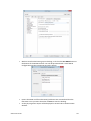
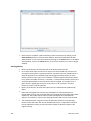
sphere region. The total contribution added will therefore depend on the number of atoms located within the sphere. 10.5 Similarity Constraints 10.5.1 10.5.2 100 Click on the Add button to add the constraint definition to the constraint editor (see Using the Constraint Editor). It is possible to define multiple region (hydrophobic) constraints. This constraint can be used to bias the conformation of docked ligands towards a given solution, or template. Method Used for Similarity Constraints This constraint will bias the conformation of docked ligands towards a given solution. This solution, or template, can, for example, be another ligand in a known conformation, a common core (useful when docking ligands of a combinatorial set), or it may just be a large substructure that is expected, or known, to bind in a certain way. The template must be supplied as a MOL2 file. Unlike the distance-based constraints, which reduce the score for ligands that adopt unfavourable orientations, this constraint will add an energy term to the score based on the similarity between the ligand being docked and the template provided. The similarity between the two is evaluated as a Gaussian overlap term. The similarity constraint can be applied in three ways that differ in the way that the overlap between ligand and template is calculated. The similarity can be evaluated: - by using the overlap between all donor atoms in the template and the ligand being docked. - by using the overlap between all acceptor atoms in the template and the ligand being docked. - by using the overlap of all atoms of the template (this can be regarded as a ligand-shape constraint). The energy term to be added is calculated as similarity times weight (the similarity value is between 0 and 1, where 1 indicates identity of template and ligand). If you wish to place a fragment at an exact specified position in the binding site, as opposed to biasing the docking, use the scaffold match constraint (see Scaffold Match Constraint). Setting Up a Similarity Constraint To define a similarity constraint, click on Similarity from the list of Global Options given on the left of the GOLD Setup window. If this option is not visible, click on the + icon next to Constraints to expand the list of options. Specify the similarity type to be used by selecting H-bond donor overlap, H-bondacceptor overlap, or shape overlap (see Method Used for Similarity Constraints). The similarity template file should contain the template molecule or fragment in its docked position (i.e. expressed with respect to the same coordinate frame as the protein and with the coordinates required to place it in the correct pose). To specify the template file either enter the path and filename of the file, or click on the Template File button and use the file selection window to choose the file. GOLD User Guide