1
[5] 28800
[6] 19200
[7] 14400
[8] 9600
*[9] 4800
[E] 2400
[F] 1200
[G] 600
[H] 300
[I] 110
<ESC>
?
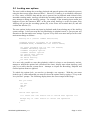
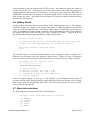
This menu us used to set playback baud rate:Set RS232 serial port BAUD rate for playback
(X-MODEM and 'On' button aware)
[0] 230400
*[1] 115200
[2] 76800
[3] 57600
[4] 38400
[5] 28800
[6] 19200
[7] 14400
[8] 9600
[9] 4800
[E] 2400
[F] 1200
[G] 600
[H] 300
[I] 110
<S> Start playback now (or use 'On' button)
<ESC>
?
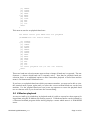
These two baud rate selection menus appear when a change of baud rate is requested. The star
character (*) shown which baud rate is currently active. Note that for playback baud rate
selection, there is an additional option to allow immediate playback of stored data and the
menu is 'On' button and X-Modem aware.
If you have set a playback baud rate which you cannot remember, you may not be able to view
the terminal menu system again until you select the correct terminal baud rate on the host
machine. Use the 'playback baud rate reset' power up sequence to restore the playback baud
rate to a known value if you do not know the current setting.
5.8 X-Modem playback
As soon as AntiLog is switched on in playback mode it is able to respond to a host request for
logged data using the X-Modem file transfer protocol. X-Modem transfers can be initiated by
a connected terminal program whilst AntiLog displays a menu which states it is X-MODEM
aware.
DOC/AntiLog/UG/2003001_1.2
Page 13 of 20