1
Note that in this example, once the terminal menu system has been used to configure AntiLog,
no further contact with a host machine is required. Simply use the unit with the 'On' and 'Off'
buttons to conduct data logging and playback sessions.
2. Important Information
2.1 User Guide Applicability
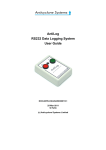
This manual refers to the AntiLog product from Anticyclone Systems Ltd running release
V1.2 of the embedded software. (The release version number can be determined from the
playback terminal menu system described in section 5 of this document.)
2.2 Recorder Baud Rate
Always select the correct RS232 baud rate for data recording. Any data collected using
AntiLog where there is a difference between the recording baud rate and the real source baud
rate will result in severely corrupted or lost data. In common with any other RS232 data
recording system, it is not normally possible to recover any information from data recorded at
the wrong baud rate.
2.3 Battery Life
If you are running from an internal battery, always use a new one when recording important
trials data. To maintain the life of the battery, it is recommended that it is disconnected
completely from the system if AntiLog is not to be used for more than a week or so. This is
because AntiLog supports active power management which means that there is a very small
current drain on the battery when AntiLog is switched off. Over extended periods of time,
this standby current will effect the total charge remaining in a given battery. Use the battery
check feature at the main playback terminal menu to ensure the battery is in good condition.
3. Getting Started
All that is required to get AntiLog working is a power source and an RS232 data cable
connection. The power source can be a PP3 battery fitted internally, or an external source
plugged into the external DC power connector.
3.1 Fitting an internal battery
To fit the battery, remove the battery compartment cover on the back of the AntiLog enclosure
by pressing down on the marked area and sliding the cover back.
Fit a PP3 style battery to the PP3 flying lead clip inside observing the polarity of the
connector. Note that it is not possible to damage AntiLog by making a connection with the
wrong polarity, the unit will simply not power up when requested. Replace the battery cover.
DOC/AntiLog/UG/2003001_1.2
Page 5 of 20