1
Registration of Administering Organisations
Before Principal Applicants can begin a form, the host organisation administering the
award must be registered on eGrants. If your organisation is not on the list of
Registered Administering Organisations, please refer to the instructions on
Organisation Registration [Word].
Please note: if you are not currently affiliated with an organisation, please choose
‘No Organisation’ when registering. This option only applies to individuals making an
application to the Engaging Science schemes and some of our Public Health and
Tropical Medicine schemes. If you have any queries about selecting the ‘No
Organisation’ option, please contact eGrants Support.
Login
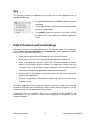
To log in to the eGrants system, enter your username (or email address) and chosen
password under the ‘Existing User’ heading on the eGrants login page.
Your Account
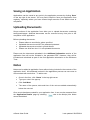
Each individual registered with eGrants has their own unique eGrants account
through which all interactions with the application process take place. There are three
main tabs (pages) within your eGrants account:
•
Your Details
•
Applications
•
Password
An additional ‘Delegates’ tab will be present depending on whether you have a Head
of Department status (e.g., if you are not a Head of Department, the Delegates tab
will not be present). Further information about delegates can be found in the eGrants
User Guide for Principal Applicants.
eGrants User Guide
9
Last updated: 20/05/2014