1
Index
• As a value added service to your
colleagues, whom you may be ordering
stationery for, Everything Office can set
up an automatically generated email that
details the order as submitted/authorised
directly to them. This is particularly
important if they are in different parts of
the building, or indeed in different parts
of the country.
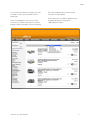
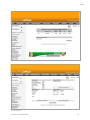
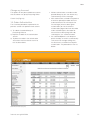
• A non-authorised user, after placing an
order and checking out would see Fig 13
by selecting the ‘authorisation’ button.
It lists the orders that have been placed
but informs you that you do not have the
relevant permission. There is also the
option to manually e-mail any authorised
user - the details of who are listed at the
bottom of the screen. Those who do have
the authorisation privileges see Fig 13.
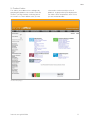
Everything Office will set up the necessary
accounts so that an automatic email is sent
for the attention of the relevant authorisee
telling them that an order is waiting for their
attention. By selecting the order number
the site opens up the order and allows it
to be amended. If however, the order is
acceptable, select the ‘YES’ statement at
the end of the line or select the ‘Authorise
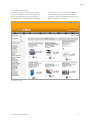
internet user guide 2008 All’ button. In the event of there being a
number of orders awaiting authorisation,
this button will authorise every order in
one go. The orders will only now be sent to
Everything Office.
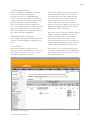
17. Budget Control
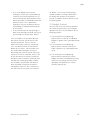
You can now have even more control over
your stationery purchases, by setting pre
agreed levels you can now add any of the
following controls
1) The restriction of an order being
processed if the value of an individual
product is greater than a pre-determined
value.
2) The restriction of an order being
processed if the overall value of the
order is greater than a pre-determined
value.
3) The restriction of an order being
processed if the overall cost centre
budget has been exceeded. Everything
Office can set ceilings for cost centre
spend per time period. This can be
monthly, quarterly etc.
20