1
Index
11. Expert Advisors
This option provides an advanced search
facility making Printer Supplies, Envelopes
and Folders easier to find.
The three types of product are separated into
sets of criteria.
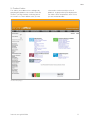
For Printer Supplies Finder simply select the
brand of machine you are using, then choose
the type of machine it is i.e. Inkjet, Laser, Fax
or Other. Then select the reference number of
your machine and then click Search.
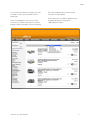
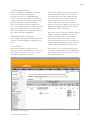
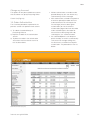
The cartridges for that machine will then
be displayed along with any other suitable
products for that machine, such as photo
paper. See Fig 9.
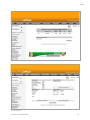
For the Envelope and Folder finder, selecting
the criteria for a particular envelope or
folder will bring back a result showing all the
matching products. Every time a criteria is
selected, the site will automatically begin the
search.
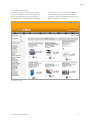
Printer Supplies Finder Results (Fig 9)
internet user guide 2008 13