1
Index
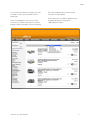
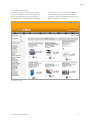
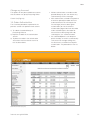
Spend By Product
This report shows total spend for product
types. (e.g. Paper.) Select the product type
to list the individual product codes.
This report shows the total spend for every
individual product code.
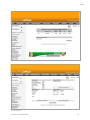
unwanted items. This feature will offer you
the following benefits, all credits will be
visible online ensuring the reporting figures
are 100% accurate. It also gives you the
confidence that credits are being raised on
your account and gives you the ability to
determine this.
Volume by Item
19. Order Tracking
This report shows the total quantities
ordered against every individual product
code.
Order tracking is the history of all the
orders placed on your account using the
Everything Office web site. It breaks down
the reporting into two areas.
Spend By Item
Returns
By selecting the ‘returns’ button you have
immediate access to records of
any returned items through damage or
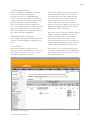
Recent Orders
This table displays all completed orders for
your account by date. (Most recent first).
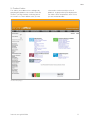
Spend by Dept – Graphic View (Fig 15)
internet user guide 2008 22