1
Warning
Please read the quick start guide carefully before powering on the
unit. Failure to correctly connect power / GPS / GSM antenna may
damage the unit.
Quick Start Guide
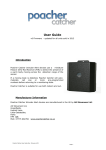
The Trackbox is supplied preconfigured to work with Orange PAYG
SIM cards, and report positions to the free Parallel Track website every 10 minutes via the mobile
phone network. If using an alternate web server / SIM card see section ‘Unit Configuration’.
1. Insert Orange PAYG SIM card into unit. Ensure correct orientation, SIM card holder is spring
loaded, card will click / lock into place. To remove push to unlock then slide out.
2. Connect GSM antenna to socket marked GSM. The small stubby GSM antenna can be
identified from the GPS antenna by the fact it has no cable.
3. Connect GPS antenna to socket marked GPS. The GPS antenna, has a long cable / magnetic
mount.
4. Position GPS antenna in the vehicle such that it has a clear view of the sky. Through the
front windscreen is usually suitable.
5. Connect power lead to vehicle 12V supply (red / black), connect other end to tracker unit.
Alternatively if supplied the cigarette lighter adapter may be used instead. Note: If using the
cigarette lighter adapter on a permanent basis, the vehicle should ideally (for more accurate
tracking) be the type where power to the socket is maintained even when the engine is off.
6. Register for an account on the Parallel Track website, select the ‘Config’ page, select ‘Add
New’, enter a name for the device (e.g. “My Vehicle”), enter the 15 tracker unit IMEI number
(as provided on purchase), enter the unit password (as provided on purchase), choose an
icon to represent the vehicle on the map, choose a line colour for showing vehicle journey
‘History’ on map, choose ‘Save’.
7. Login to the Parallel Track website, and view the ‘Live’ / ‘History’ log pages to view current
vehicles position / a log of where the vehicle has been on the specified date.