1
Version 1.2 Softphone User Guide for iPhone
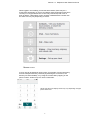
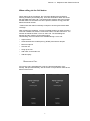
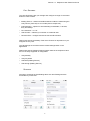
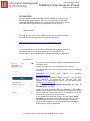
When logged in successfully you will see three buttons (there may be a
fourth button depending on version of software called Chat please note this is
currently not a supported function on the Unity Soft Phone) with icons on
them as below, a description of each of these is detailed below. Please note
the exact icon may vary depending on device.
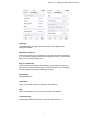
MAKING A CALL
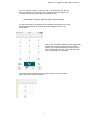
A voice call can be started in various ways, for example, from the call history,
from the enterprise directory result list (by selecting the correct item, see
directory for further details), or by using the contact card by tapping on the
phone number. Another way is to use the Call button.
Please note the exact display shown may vary depending on Apple
Iphone been used
2