1
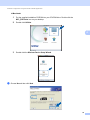
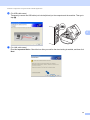
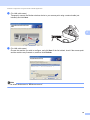
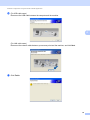
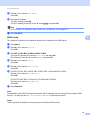
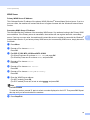
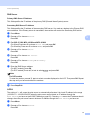
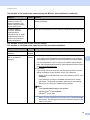
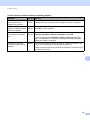
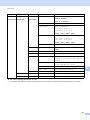
Troubleshooting The machine cannot print or scan over the network. The machine is not found on the network even after successful installation. (continued) Question Interface Solution (Windows®) Confirming the IP address and the Subnet Mask using the Network Connection Repair Tool. Use the Network Connection Repair Tool to fix the machine's network settings. It will assign the correct IP address and the Subnet Mask. To use the Network Connection Repair Tool follow the steps below: Note • (Windows® 2000/XP/Windows Vista ®/Windows ® 7) Login into the network with the Administrator right. • Make sure that the Brother machine is turned on and is networkconnected to your computer. 1 (Windows® 2000/XP, Windows Server® 2003/2008) Click the Start button, All Programs (Programs for Windows® 2000), Accessories and Windows Explorer, and then My Computer. 9 (Windows Vista®/Windows® 7) Click the button and Computer. 2 Double-click Local Disk (C:), Program Files or Program Files (x86), Browny02, Brother, BrotherNetTool.exe to run the program. Note If the User Account Control screen appears, (Windows Vista®) Click Continue. (Windows® 7) Click Yes. 3 Follow the on screen instructions. 4 Check the diagnosis by printing the Network Configuration List. If the correct IP address and the Subnet mask are still not assigned even after using the Network Connection Repair Tool, ask the network administrator for this information, or visit the Brother Solutions Center at http://solutions.brother.com/ Did your previous printing job fail? wired/ wireless If the failed printing job is still in the print queue of your computer delete it. (Windows®) Double-click the printer icon in the Printers and Faxes (Printers for Windows® 2000 and Windows Vista®/Devices and Printers for Windows® 7) folder. Choose the Cancel All Documents in the Printer menu. 97