1
Xtags User’s Guide 51
Chapter 7 Creating Text, Picture, None, and Line Boxes
Grouped items, including groups of grouped items—but not a set of multipleselected objects that are not grouped—may be input and output with the normal
Copy Xtags Text and Paste Xtags Text (Copy with Xtags and Paste with Xtags
in QuarkXpress 7.x) items on the Edit menu (the latter in item tool mode only).
Example 7.10
Finally, we’re going to group the two boxes together.
Set/Clear Relative Origin Tags
Xtags Code:
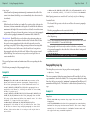
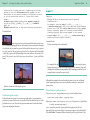
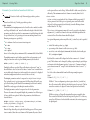
@Example:Here is an example of a picture and caption. The
6”x6” picture box is created first.<&pbu2(408,454.971,
(6”,S),(6”,S),,,,,4,(,n),(,100),”Thick-Thin”,n,,(6,0
,6,12),m,27.344,27.344,,,,,”:red toy car.jpg”,,,)>
The picture box is shrunk to fit the picture both
horizontally and vertically. The box has a a 4 point, 100%
black frame set to a thick-thin stroke. We’ve specified a
top text outset of 6 points; left text outset of 0 points;
bottom outset of 6 points, and a right outset of 12
points.
After the picture box is created, a small text box is
created just below it using relative positioning and
filled with a caption<&tbu2((0,BL,1), 0.05”, 1.2”, 14pt,
,,,,,,,,,,(0,0,12pt,109),,,0.5pt)><*p(0,0,0,,0,0)><*C><z
8I>A classic retro toy car.<&te>. The text outset on the
text box is 12 points on the bottom and 109 points on the
right.
Finally, we’re going to <&g(2, 1)>group the two boxes
together.
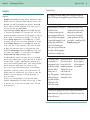
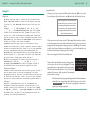
Formatted Result:
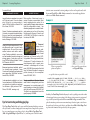
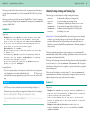
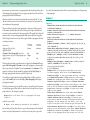
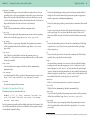
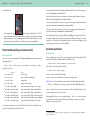
Here is an example of a picture and caption. The 6”x6” picture box is created
first.
The picture box is shrunk to fit
the picture both horizontally and
vertically. The box has a a 4
point, 100% black frame set to a
thick-thin stroke. We’ve specified a top text outset of 6 points;
left text outset of 0 points; bottom
outset of 6 points, and a right
outset of 12 points.
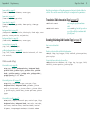
A classic retro toy car.
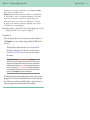
ing and filled with a caption. The text outset on the text box is 12 points on
the bottom and 109 points on the right.
After the picture box is created,
a small text box is created just
below it using relative position-
The “set relative origin” tag7 has the form:
<&o(x, y, flags)>
and sets the relative origin for subsequent box creation tags to (x, y), with cumulative transformation (i.e., multiple set relative origin tags are additive) unless
flags contains S for “sticky”, which means this new origin stays in effect until
cleared, regardless of following set relative origin tags.
The “clear relative origin” tag can take the form of either <&o$> or <&o0> and
clears any relative origin in effect.
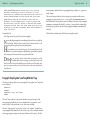
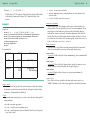
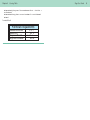
Example 7.11
Xtags Code:
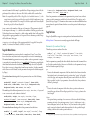
<&o(52.305,324.335)><&pbu2(0,0,98.439,118.497,,,,n,0.5,(,)
,(,100),,n,,,m,22.658,22.717,,,,,”Old Barn.jpg”,,,)><&tbu2
(103.536,96.542,96.753,24.955,,,,n,,(,n),(,100),,n,,,,,,,
,b,,,)>@$:<*L><*p(0,0,0,11,0,13.032,g,”U.S. English”)><I>A
beautiful old barn.<I><&te><&g(2,1)>
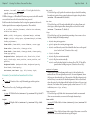
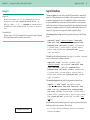
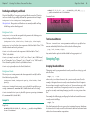
Formatted Result:
A beautiful old barn.
7 You won’t normally need this tag, but Xtags uses it on output to set an origin for a group of boxes. This way,
the whole group can be easily relocated by changing the origin given by this tag.