1
Table of Contents
System Overview
System Layout
Setting Up the Base Station
2
3-4
Installing the Base Station & Sesors
Using the DataAngel Day to Day
14-15
Powering-up the Base Station
Entering the System Menu
Checking the Time & Date
Adding & Pairing Sensors
Reviewing Alarm Set Points & Delays
Chaning Alarm Set Points & Delays
Setting-up Users & Alarm Acknowledge
Viewing Current Readings on Display
Identifying Pending Alarms
System Alarms
Other Display Symbols
5
6
7
8-9
10
10-11
12-13
16
16
17
17-18
Non-Networked Base Stations
19
Networked System Options
29
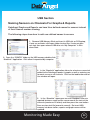
Naming Sensors on Channels
Installing Graphing Software
Viewing & Saving Reports
Viewing Data in Graphs
Using the Export Custom Tool
Viewing Event & Alarm Log
Viewing System Network Status
Logging into a DataAngel
DataAngel Main Screen Explained
Changing Sensor Set Points & Alarm Delays
Changing a Sensor Name
Setting Users, Password & Access Rights
Setting-up Email Alarm Alerts & Email Reports
System Alarms & On-line Acknowledgements
Historic Alarms & Events
Reviewing Historic Data in Graphs & Reports
Other System Settings Options
Monitoring Made Easy
20
21
22
23-26
27
28
30-31
32
33-34
34
35
36
37
38
39
40-41
42