1
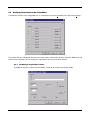
WINCUE USER GUIDE TABLE OF CONTENTS 8.3 Changing a Presenter’s Settings _________________________________________ 56 8.4 Deleting a Presenter ___________________________________________________ 56 8.5 Presenter Profiles _____________________________________________________ 57 8.5.1 8.5.2 9 Saving Presenter Profiles _____________________________________________________ 57 Loading Presenter Profiles ____________________________________________________ 57 Working with Rundowns _____________________________________________58 9.1 The WinCue Rundown window___________________________________________ 58 9.1.1 9.2 Features of a WinCue Rundown________________________________________________ 59 Creating a New Rundown _______________________________________________ 59 9.2.1 9.2.2 9.2.3 9.2.4 9.2.5 9.3 Adding a New Story to the Rundown ____________________________________________ 59 Adding Break Scripts ________________________________________________________ 59 Saving Scripts and Rundowns _________________________________________________ 59 Moving Stories within the Running Order _________________________________________ 60 Renumbering Stories in the Rundown ___________________________________________ 60 Editing within the Rundown _____________________________________________ 60 9.3.1 9.3.2 9.3.3 9.3.4 9.3.5 9.3.6 9.3.7 9.3.8 Adding a new script__________________________________________________________ 60 Editing a Script _____________________________________________________________ 60 View Story_________________________________________________________________ 60 Importing files ______________________________________________________________ 61 Deleting Stories_____________________________________________________________ 62 Editing the fields of an item in the rundown _______________________________________ 63 Toggle Hold State ___________________________________________________________ 63 Move to Air Next ____________________________________________________________ 63 9.4 View Settings _________________________________________________________ 63 9.5 Modifying the Columns in the Script Editor ________________________________ 65 9.5.1 9.6 Working with Multiple Rundowns ________________________________________ 66 9.6.1 9.7 10 Modifying a Script Editor Column _______________________________________________ 65 Copying stories between rundowns_____________________________________________ 67 Window Settings ______________________________________________________ 67 Prompting scripts in a queue ________________________________________69 10.1 Opening a Queue _______________________________________________________ 69 10.2 To start prompting ___________________________________________________ 69 10.3 Scroll Controllers ____________________________________________________ 70 10.3.1 10.3.2 10.4 10.4.1 10.5 11 Hybrid multi-button scroll controller _____________________________________________ 70 2-button Hand Scroll Control __________________________________________________ 70 Prompting options ___________________________________________________ 71 Prompting with the Script Column displayed ______________________________________ 73 To quit prompting____________________________________________________ 73 Upgrading WinCue_________________________________________________74 Appendix A - WinCue Installation Help_____________________________________77 WinCue IMT cards and SCSI cards ____________________________________________ 77 Laptop systems (SlimSCSI 1460d) _____________________________________________________ 77 Desktop systems (2906) _____________________________________________________________ 77 SCSI Cards ________________________________________________________________ 79 7 AUTOCUE LTD. 2002