1
Internet light troubleshooting
Authentication of broadband username/password
This does not apply to fibre, only to ADSL. Some customers have their broadband username &
password that is stored in their router authenticated against the details held within the TalkTalk
network.
However, TalkTalk 21CN users are gradually being migrated to purely network authentication,
(your phone number is all that it is interested in, it “knows” who you are from this) & needs nothing
else in the way of username or password. This is also true of fibre customers.
If your username & password does have to be authenticated and if the password is quite complex, it
might be hard to spot the error. In this case it might be easier to re-enter it.
Your username is in the format:[email protected]
or [email protected] - for legacy customers
To find out your correct broadband password, call this number from your broadband phone line:0870 087 5562 - free during you calling plan inclusive times.
If you normally withhold your number, prefix this 0870 number with 1470, i.e.:14700870 087 5562
Forwarding your broadband number to this service is essential, so as the system can access your
account. Follow any prompts and it should tell you what your broadband password is.
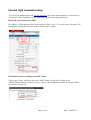
If you cannot make this call for whatever reason, then log into your account on the TalkTalk website
and you can change the broadband password. This done from “Profile & Settings”, then under
“Settings”, choose “Broadband Password”, give it at least 10 minutes to update, then try username
with new password in router.
Page 3 of 10
Date : 14/03/2015