Transcript
…suppliers of British Satellite TV since 1996
Troubleshooting
SkyPlus Digibox
“My Sky+ is stuck on stand-by”
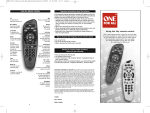
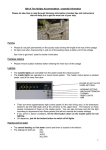
The Sky+ can be described as "stuck in stand-by" when only the red light is illuminated on the front
panel of the box and you are unable to switch it on (green light illuminated) by use of the Sky button on
your Sky+ remote control or the front panel stand-by button.
If this is the case, please complete the following procedure.
How to perform a Connection Check on your Sky+
1. Isolate the power to your Sky+ by unplugging or switching off at the wall socket and ensure there
are no lights on the front of the box.
2. Ensure all the Sky+ and TV connections are seated securely. Pay particular attention to the 21 pin
SCART lead, the 2 dish input connections.
3. Restore power to your Sky+ and leave it in standby mode for 90 seconds. (The red light will show on
the front panel of your Sky+). This time is required to allow the Sky+ to initialize.
4. Ensure that your TV is switched on, and on the correct channel (usually AV if you are using a SCART
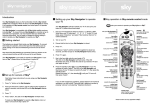
lead). Take the Sky+ out of standby mode by pressing the Sky button on the remote control or the
standby button on the front panel of the Sky+
5. The red light will turn to green on the front panel and the message "searching for listings" will appear
on screen.
6. When completed successfully the Sky Welcome* channel on Channel 998 will be displayed.
*Please note, if the Sky Welcome Channel is not displayed, please repeat procedure from step one.
If you are now still experiencing problems after completing a Connection Check then please send us an email to [email protected] so that we can provide further technical assistance.
Astrosat Support Team