1
Contents
About This Guide
Chapter 1 - Presenting the Polycom iPower Systems
About the iPower Systems ........................................................................................................................ 1
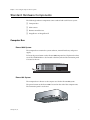
Standard Hardware Components ............................................................................................................ 3
Computer Box ...................................................................................................................................... 3
iPower 9000 System...................................................................................................................... 3
iPower 600 System........................................................................................................................ 3
iPower 900 System........................................................................................................................ 4
Main Camera ........................................................................................................................................ 4
iPower 9000 System...................................................................................................................... 4
iPower 600 System........................................................................................................................ 5
iPower 900 System........................................................................................................................ 5
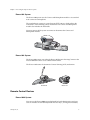
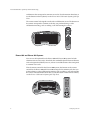
Remote Control Devices ..................................................................................................................... 5
iPower 9000 System...................................................................................................................... 5
iPower 600 and iPower 900 Systems ......................................................................................... 6
PowerMic .............................................................................................................................................. 7
ImageShare or ImageShare II............................................................................................................. 7
iPower 9000 and iPower 600 Systems ....................................................................................... 7
iPower 900 System........................................................................................................................ 7
Optional Hardware Components............................................................................................................. 8
Display .................................................................................................................................................. 8
Cart ........................................................................................................................................................ 9
Additional Cameras ............................................................................................................................ 9
VCR...................................................................................................................................................... 10
Other Optional Hardware Components ........................................................................................ 10
Standard Software Applications............................................................................................................. 11
Optional Software Applications ............................................................................................................. 12
Chapter 2 - AdminTools Roadmap
Customizing the System ......................................................................................................................... 14
Setting Up System Security ..................................................................................................................... 14
Configuring Network Use ....................................................................................................................... 15
Configuring Audio ................................................................................................................................... 15
Configuring Video.................................................................................................................................... 16
Configuring Streaming ............................................................................................................................ 16
Setting Up Directories .............................................................................................................................. 16
Allowing Data Sharing ............................................................................................................................ 17
Maintaining
the System
...........................................................................................................................
17iii
© Polycom,
Inc.
Preliminary
and Confidential - For Internal Distribution Only
Using Remote Management Tools ......................................................................................................... 17
Configuring Multipoint Conferencing .................................................................................................. 18
© Polycom, Inc.
iii