1
Polling
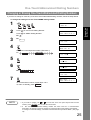
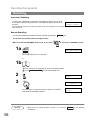
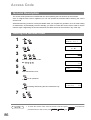
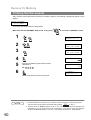
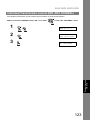
Preparing to be Polled
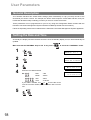
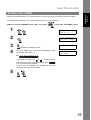
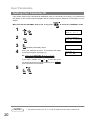
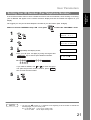
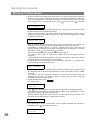
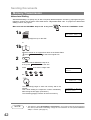
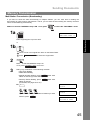
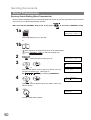
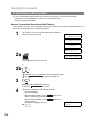
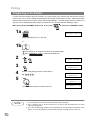
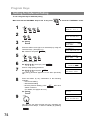
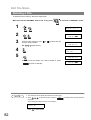
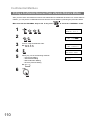
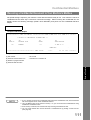
In order to let other stations poll your machine, you must prepare your machine with a document stored in
memory. Be sure to set the polling password before storing the document into memory. After being polled,
the documents stored in the memory will be erased automatically. To retain the documents in memory so
that they can be polled repeatedly change Fax Parameter No. 27 (POLLED FILE SAVE) to "Valid".
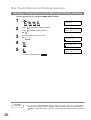
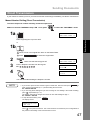
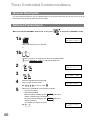
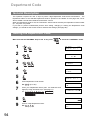
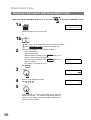
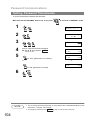
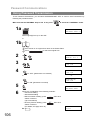
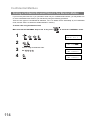
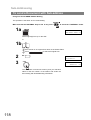
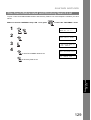
Make sure that the FAX/EMAIL lamp is ON. If not, press
to select the "FAX/EMAIL" mode.
1a
ENTER STATION(S)
THEN PRESS START 00%
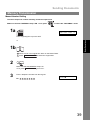
Place original(s) face up on the ADF.
or
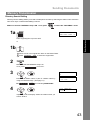
1b
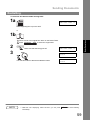
1 Place a book or an original face down on the Platen Glass.
2 Press ORIGINAL SIZE to select the original size.
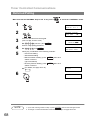
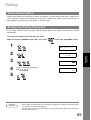
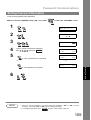
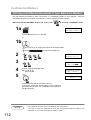
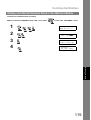
2
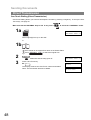
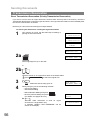
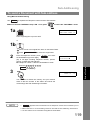
POLLING
NO.=❚
1:POLLING 2:POLLED
3
POLLED
PASSWORD=1234
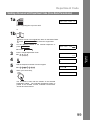
4
5
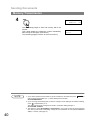
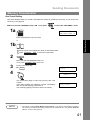
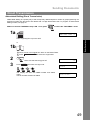
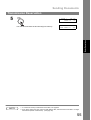
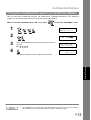
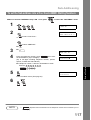
Enter a 4-digit polling password. (See Note 3)
Ex: 4 3 2 1
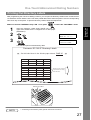
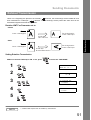
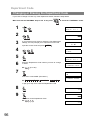
* STORE *
NO.015
PAGES=001 01%
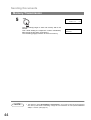
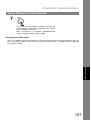
The document(s) will be stored into memory.
NOTE
70
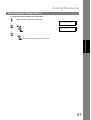
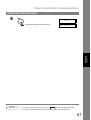
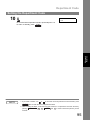
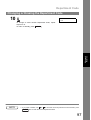
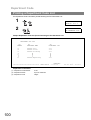
POLLED
PASSWORD=4321
* STORE * COMPLETED
TOTAL PAGES=005 24%
1. You can still send or receive documents even when set to be polled.
2. Only 1 polled file can be stored in memory. If you need to add document(s) into the same
polled file, see page 84.
3. If you have set the polling password in Fax Parameter No. 26, the password will appear on the
display. You can still change the password temporarily by overwriting it with a new one.