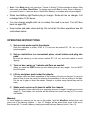
1
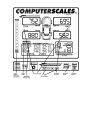
Goal: Push Mode twice (only once from “Center of Gravity”). Enter numbers as above. After each entry push Mem. Store Enter. To change entry push Zero to clear. Store in Memory if you want to save it – same as above. Recall from Memory to compare with current weights. • When Low Battery light flashes plug in charger. Scale will run on charger. Full recharge takes 12-24 hours. • You can change weights with car on scales. No need to re-zero. Turn off, then back on again OK. • Keep scales and pads clean and dry. Do not drop! For other operations see full instructions below. OPERATING INSTRUCTIONS: 1) Set up scale pads next to the wheels. Pads are calibrated to within 5/100 of 1% and can be marked RF, LR, etc. or used interchangeably. 2) Set up control box in a convenient place, uncoil cables and plug into pads. Be sure the cables go to the correct location, RF, LR, etc. and route cables to avoid tripping. 3) Turn on box, warm up 1 minute and Zero as needed. When you push the ZERO button you are defining that as zero weight: the car MUST be off the pads. 4) Lift car and place pads under the wheels. The weight will be the same regardless of the location of the tire on the pad. It is a good idea to keep it near the center to minimize the possibility of the car rolling off the pad. Put the car in gear or block the wheels. Ramps or a platen setup fixture may also be used. 5) Shake each corner up & down to settle the chassis. Shock absorber friction can hold up a surprising amount of weight, changing your cross weight %. Total weight, left, and rear will be constant but cross can vary by 1% or more until settled. Memory: To store weights in memory put the car on the scales, hold the MemStore button down and press one of the Memory buttons – 1 thru 10. Weights will be stored there (even if the unit is then turned off). To recall a Memory simply press and hold any Memory button 1 thru 10.