1
Operating Instructions
Setting
How to
authenticate
*1
*2
Description
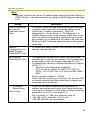
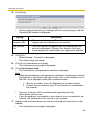
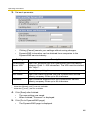
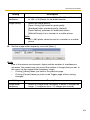
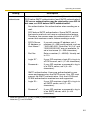
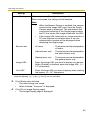
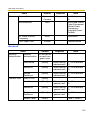
You can select the authentication method: [No authentication],
[POP before SMTP authentication] and [SMTP authentication].
POP server authentication may be required by your ISP. In
that case, set POP before SMTP authentication.
•
No authentication: No authentication when sending an email.
•
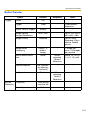
POP before SMTP authentication: Some SMTP servers
that send e-mails do not have an authentication feature.
Therefore, the camera uses the authentication of a POP
server that receives e-mails, before sending e-mails.
–
POP3 Server
IP Address or
Host Name*1:
If you set a server IP address, set 4
numbers (0—255) and 3 periods, such as
"192.168.0.253". Note that "0.0.0.0" and
"255.255.255.255" are not available. Or
set a host name (1—255 characters).
–
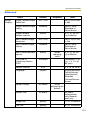
Port No.:
Enter a number (1—65535). Usually set
to 110.
–
Login ID*2:
If your ISP requires a login ID to log in to
a POP3 server, set it (1—63 characters).
–
Password*2:
If your ISP requires a password to log in
to a POP3 server, set it (0—63
characters).
•
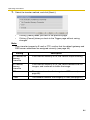
SMTP authentication: Users are authenticated by user
name and password on the SMTP server. Your ISP must
support the SMTP authentication. Only the LOGIN and
PLAIN authentication mechanisms are supported.
–
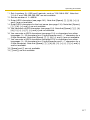
Login ID*2:
If your ISP requires a login ID to log in to
an SMTP server, set it (1—63
characters).
–
Password*2:
If your ISP requires a password to log in
to an SMTP server, set it (0—63
characters).
Note that [Space], ["], ['], [&], [<] and [>] are not available.
Note that ["] is not available.
69