1
MV-D1024-TrackCam User Manual
2. How To Get Started
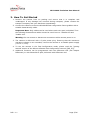
1. Remove the camera from its packing and ensure that it is complete and
undamaged. If any damage has occurred during transport, please contact the
transport company and your distributor immediately.
2. Connect the camera to the microEnableIII-fast configuration frame grabber with a
suitable CameraLink© cable.
Important Note: Only cables can be used where each wire-pair is shielded. Thus
the following Phontonfocus cables cannot be used: Part no. 704020.052 and
704020.102.
Warning: Do not connect or disconnect connections while camera power is on.
3. The camera is delivered with a 3-pole power plug. Ensuring that the maximum
operating voltage is not exceeded, connect the camera to a suitable power supply
(+5V DC +/-10%).
4. To use the camera in the Fast Configuration mode, please read the “getting
started” section of the Silicon Software Fast Configuration manual ([ME_FC]).
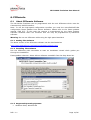
5. Additional functions can be programmed with the PFRemote tool (see chapter
PFRemote) or with Photonfocus pflib, delivered with PFRemote tool.
REV: 1.1
Page 5/26
![GammaWare[Gw] User's Guide](http://vs1.manualzilla.com/store/data/006910084_1-8196ffa7e35032d3615309d6abf1f30d-150x150.png)