1
SE7120
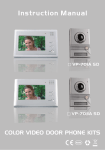
User Manual
PRO Intercom Display
www.sacelectronics.co.uk
.
1. Slim fit aluminium alloy panel of indoor monitor with simplicity and classic
design style.
2. 5.6" color TFT screen with low power consumption, no radiation and high
definition.
3. Hands free communication.
4. Monitoring the outside of house.
5. Fourteen polyphonic melodies.
6. Chroma and brightness adjustable.
7. Enclosed 15M cable and one adapter for DIY market.
.
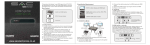
Power Indicator Light
The Power Socket
Speaker
Chroma Adjuster
Monitor
Brightness Adjuster
Unlock
Talking Volume Adjuster
Talk
Microphone
Music Volume Button
Music Selection
1. Adapter input voltage: AC220V-240V/50Hz
2. Adapter output voltage, output current: AC13.5V 1200mA
3. Talking last time: 120S±10%
4. Monitoring last time: 40S±10%
5. Working distance: 50M(4 x 0.5mm2)
6. Power consumption: standby<0.5W, working<10W
7. Illumination intensity: 2 luces
8. Visual angle: 92° wide-angle
9. Working temperature: -10°C~40°C
10. Relative humidity: 10-90%(RH)
Parameter
Screen Size
Resolution
Specifications
Unit
5.6
Inch
320 X 3 X 234
Dot
113.28【H】X 84.708【V】
mm
0.118【W】X 0.362【H】
mm
126.5.4【W】X 100【H】X 5.7【D】
mm
Active Area
Pixel Size
Screen Figure Dimension
.
1
2
Bracket
1. Fix the bracket of the video indoor monitor on the wall with screws
(Picture 1).
2. Hang the monitor on the bracket after finishing the wire connection. Plug
the enclosed adapter into the sockets and connect the monitor (Picture 2).
.
The video door phone kit includes 15 meters wire. If wanting extension to
15-50 meters, please use the 4 0.5mm2 wire; If wanting extension to 50-100
meters, please use the 4 0
1. Audio Wire
mm2 wire.
2. Ground Wire
3. Video Wire
4. Power Wire
1 2 3 4
123456
Lock
Outdoor Camera
Indoor Monitor
1. The 1,2,3,4 connection terminals of the indoor monitor connect to the
1,2,3,4 connection terminals of the outdoor camera accordingly.
2. The 5,6 connection terminals of the outdoor camera connect to the
electronic lock.
.
1. Press CALL button of outdoor camera and graceful rings will be heard from
indoor monitor and images of visitors will be seen. Then you can talk with
them and see them just by pressing TALK button of the indoor monitor. The
talking time can last about 120 seconds.
2. Press UNLOCK button to release the door .
3. Pressing MONITOR button can monitor the situation of outdoor, and it can
last 40 seconds.
4. Pressing TALK button after pressing MONITOR button can monitor the
outdoor situation and talk with the visitors.
5. The brightness, chroma and volume can be
adjusted turning by the buttons at the side
of monitor.
6. 14 polyphonic melodies for option by
pressing the button at the side of monitor.
7.Please take off the protective coating of the screen.
.
1. Do not install the indoor monitor at high temperature, high humidity place
or near TV.
2. No touching the monitor screen with wet hands.
3. Please use only soft cloth to clean the monitor screen or camera in order
to get a clear image.
4. Please avoid throwing or hitting the units.
5. Image could be illegible if the camera is shined by strong light.
6. If you use internal wireless communication systems, image may be fuzzy
because of interference from radio waves.