1
Recording Weaning
Weaning
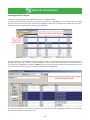
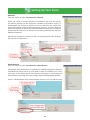
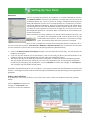
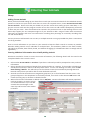
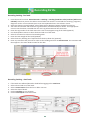
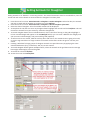
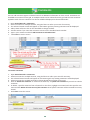
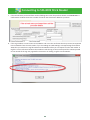
There are two ways to record weaning – either by choosing the lamb / calves first or by selec ng the dam.
Whichever is selected the other grid will display the relevant progeny / dam. Wean weights can also be recorded
in this screen.
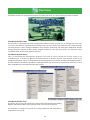
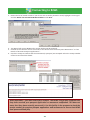
1. From the menu bar select: Animal Records > Weaning
2. There are two choices for weaning - Wean by dam and Wean by Progeny
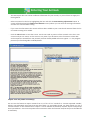
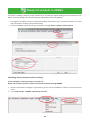
3. If Wean by progeny is selected then all the lambs or calves that are currently s ll nursing their mothers
appear in the top grid. You can select individuals or use the usual filters - management group, breed,
loca on. When a lamb or calf is highlighted, its dam shows on the bo om grid.
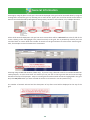
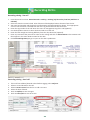
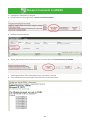
4. If Wean by Dam is selected then all the dams currently nursing lambs or calves appear in the bo om grid.
Select individual dams or use the filters. When a dam is highlighted all her progeny will appear in the top
grid. You can de-select a lamb or calf that you don’t want to wean by holding the Ctrl key and clicking
beside its number on the grid.
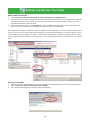
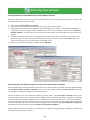
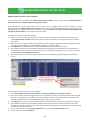
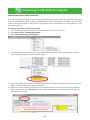
5. If you want to manually enter weaning weights for each lamb or calf you can select up to eight animals at
a me and weight boxes will appear at the bo om of the screen.
6. If you select more than eight or Select All then just one box will appear at the bo om and you can enter
one average weight for the en re group.
42