1
1. Introduction
The purpose of the Prometheus project is to create a taxonomic model and a database system
supporting this model. The aim of this new model and this new database system is the provision of a
computing environment that allows taxonomists to work as they really do. One very important
limitation of most existing taxonomic models and database systems is the absence of support for
multiple classifications. These systems are limited by two flaws: (1) they implement a model of
taxonomy that does not allow the distinction of names from classifications, which results in the
inability to manage multiple classifications and provide automatic naming of taxa; and (2) they are
built on technology unable to handle the basic processes a taxonomist goes through while undergoing
the description of a classification or a revision.
This document describes the Prometheus system from a user (taxonomist) point of view. It is divided
into two main parts: the basic input of information, and the imaginary scenario of a revision. Through
examples, we will show how Prometheus can be used to support taxonomists’ work.
2. Entering existing data
As an example, we will describe in this section how to describe in Prometheus existing published
classifications. Later these classification will be used in the process of a revision (see section 3).
2.1.
General information on all windows
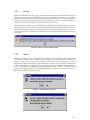
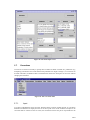
All windows in Prometheus follow the same rules. They all have “New X”, “Change X”, “Save”,
“Delete”, and “Cancel” buttons, where X is what is being edited. These buttons are hereafter explained
for each individual screen.
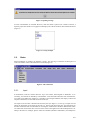
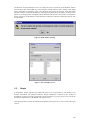
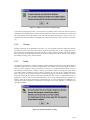
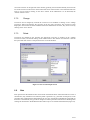
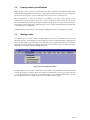
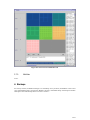
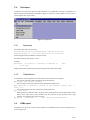
In all windows, clicking on the cross at the top right of the title bar (see Figure 1) closes the window
without saving its contents. The button at the left of that cross makes the window full screen, and the
button at the left of that button makes the window an icon.
Figure 1: Window buttons
In addition, on each window, a help screen is available by clicking on the background of the window
with the right button of the mouse (or left if the buttons have been swapped), and choosing “help”. That
help screen, although simple, should help understanding how Prometheus works.
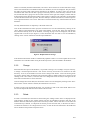
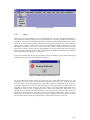
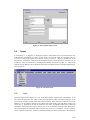
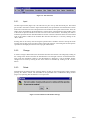
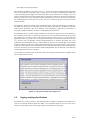
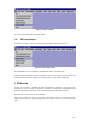
When any window opens, a message might appear giving a warning (see Figure 2). This warning
means that many concurrent accesses are open on the database. Although this message is not a problem
in itself, it might show a problem in the database. If the taxonomist chooses to open many windows at
once which is allowed, each window opened after the first one will display the message. In that case, it
can be ignored. As a general rule, warning messages can be safely ignored. However, if only one
window is open and the message appears it means that an error has occurred in the database and some
data has not been saved. The safe approach is to close Prometheus and run it again, and report the
message and the circumstances to the administrator.
4/37