1
Table of figures
Figure 1: Window buttons.......................................................................................................................................4
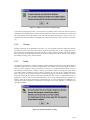
Figure 2: Opening message.....................................................................................................................................5
Figure 3: Tool tip example ......................................................................................................................................5
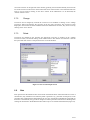
Figure 4: The rank menu..........................................................................................................................................5
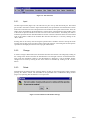
Figure 5: Duplicated data message ........................................................................................................................6
Figure 6: Rank deletion warning............................................................................................................................7
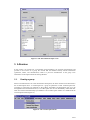
Figure 7: The rank input screen .............................................................................................................................7
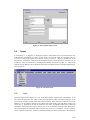
Figure 8: The people menu......................................................................................................................................8
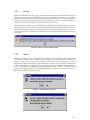
Figure 9: Duplicated person information error....................................................................................................8
Figure 10: New author abbreviation screen .........................................................................................................9
Figure 11: Adding a source of abbreviation.........................................................................................................9
Figure 12: Search result window............................................................................................................................9
Figure 13: People deletion warning.....................................................................................................................10
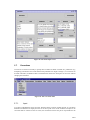
Figure 14: The People input screen.....................................................................................................................10
Figure 15: The publication menu .........................................................................................................................11
Figure 16: Publication abbreviation screen........................................................................................................12
Figure 17: Publication origin window.................................................................................................................12
Figure 18: Warning message for publication deletion......................................................................................13
Figure 19: The publication input screen.............................................................................................................13
Figure 20: The specimen menu ............................................................................................................................14
Figure 21: Duplicate specimen warning message.............................................................................................15
Figure 22: Specimen deletion warning................................................................................................................15
Figure 23: The Specimen input screen................................................................................................................16
Figure 24: The name menu....................................................................................................................................16
Figure 25: Naming rules ........................................................................................................................................17
Figure 26: Check circumscription message .......................................................................................................18
Figure 27: Name deletion warning (1)................................................................................................................18
Figure 28: Name deletion warning (2)................................................................................................................19
Figure 29: The name input screen .......................................................................................................................20
Figure 30: The correction menu ...........................................................................................................................20
Figure 31: The correction input screen...............................................................................................................21
Figure 32: The dets menu......................................................................................................................................22
Figure 33: Determination confirmation message..............................................................................................22
Figure 34: The determinations input screen.......................................................................................................23
Figure 35: The circumscription menu .................................................................................................................23
Figure 36: Circumscriptions to be checked........................................................................................................25
Figure 37: The circumscription input screen .....................................................................................................25
Figure 38: The working name menu....................................................................................................................26
Figure 39: The working name input screen........................................................................................................27
Figure 40: The generate/check names menu......................................................................................................27
Figure 41: The generate/check names input screen..........................................................................................28
Figure 42: The copy classification menu............................................................................................................29
Figure 43: The copy classification input screen................................................................................................29
Figure 44: The canned queries menu...................................................................................................................30
Figure 45: The tree view menu.............................................................................................................................30
Figure 46: The tree name display.........................................................................................................................31
Figure 47: Tree display file extract......................................................................................................................31
Figure 48: The TaxoVisu visualisation tool.......................................................................................................33
Figure 49: Backup menu........................................................................................................................................34
Figure 50: Select backup window........................................................................................................................34
Figure 51: HTTP configuration file .....................................................................................................................35
Figure 52: The HTTP menu..................................................................................................................................35
Figure 53: Import text .............................................................................................................................................36
Figure 54: Export to HTML..................................................................................................................................37
Figure 55: Import/Export XML............................................................................................................................37
3/37