1
User Manual
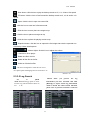
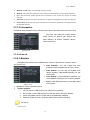
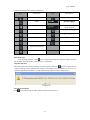
:Slow button: click the icon to play the backup record at 1/2, 1/4, 1/8 and 1/16 speed.
:FF button: click the icon to fast forward the backup record at x2, x4, x8 and/or x16
speed.
:Open: click the icon to open one record file.
:click the icon to enter into full screen mode.
:Click the icon to never place one target to top.
:Click the icon to place one target to top.
:Click the icon to place the playing record to top.
:Snapshot button: click the icon to capture the live image and save the captured one
to directory:\\video client\capture.
:Volume Adjust: click the icon to adjust the volume.
:Add fold or file to player.
:Delete one file in the list
:Delete all the files in the list
:Unfold or fold the list files
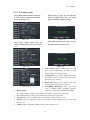
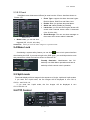
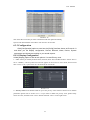
:Advance Configuration: click the icon to set
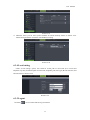
one capture path and language shown as Picture 5-27.
Picture 5-27
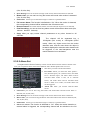
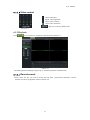
5.3.3.5 Log Search
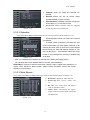
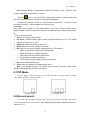
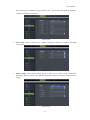
Herein allow you preview the log
information you have searched. And click
[Backup] to export all the log information
which is listed. For other button functions
please refer to previous section 5.3.3.3-Event
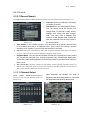
Go
to
[Main
menu Search Log] option to enter
into the Log search interface shown as
Pi t
5 28
Picture 5-28
Picture 5-29
26