1
Table Of Contents
1 Introduction .................................................................................................................................................1
1.1 The model..............................................................................................................................................1
1.2 Computer implementation.....................................................................................................................1
1.3 Other documentation .............................................................................................................................1
2 Getting started.............................................................................................................................................2
2.1 Document structure and conventions ....................................................................................................2
2.2 Minimum system requirements .............................................................................................................2
2.3 Installing and starting LSMS.................................................................................................................2
2.3.1 Installation ....................................................................................................................................2
2.3.2 Starting LSMS ..............................................................................................................................3
3 Basic use of LSMS.......................................................................................................................................4
3.1 General Windows features ....................................................................................................................4
3.1.1 The menu bar ................................................................................................................................4
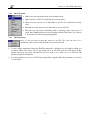
3.1.2 The help bar ..................................................................................................................................5
3.1.3 Enabled and disabled items ..........................................................................................................5
3.1.4 Text boxes ....................................................................................................................................5
3.1.5 List boxes......................................................................................................................................5
3.1.6 Check boxes..................................................................................................................................5
3.1.7 Radio buttons................................................................................................................................5
3.1.8 Command buttons .........................................................................................................................6
3.1.9 Spin buttons ..................................................................................................................................6
3.1.10 Dialogue boxes .............................................................................................................................6
3.1.11 Message boxes..............................................................................................................................6
3.1.12 Navigating using a keyboard ........................................................................................................7
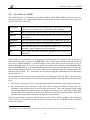
3.2 An outline of LSMS .............................................................................................................................8
3.2.1 The File menu...............................................................................................................................9
3.2.2 The Run menu ..............................................................................................................................9
4 The LSMS input data................................................................................................................................10
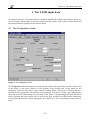
4.1 The Configuration folder.....................................................................................................................10
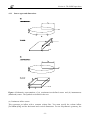
4.1.1 Source types and dimensions......................................................................................................11
4.1.2 Geometry ....................................................................................................................................15
4.1.3 Simulation span ..........................................................................................................................15
4.2 The Liquid folder ................................................................................................................................16
4.2.1 Liquid type..................................................................................................................................16
4.2.2 Initial state ..................................................................................................................................16
4.2.3 Bubbles .......................................................................................................................................17
4.3 The Substrate folder ............................................................................................................................18
4.3.1 Homogeneous/impermeable substrates ......................................................................................18
4.3.2 Homogeneous/porous substrates ................................................................................................19
4.3.3 Two layer substrate.....................................................................................................................20
4.3.4 Spills on water ............................................................................................................................21
4.4 The Atmospheric folder ......................................................................................................................22
4.5 The Bund folder ..................................................................................................................................23
4.5.1 Bund treatment ...........................................................................................................................23
4.5.2 Bund dimensions ........................................................................................................................24
4.5.3 Bund wall thermal properties .....................................................................................................24
4.6 The Numerical folder ..........................................................................................................................24
4.6.1 Output .........................................................................................................................................24
4.6.2 Numerical parameters.................................................................................................................25
4.6.3 Time resolution...........................................................................................................................26
5 Plotting the results ....................................................................................................................................29
- iii -