1
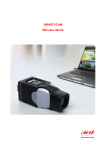
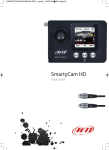
SmartyCam
User Manual
Release 1.17 – firmware version 1.02.02
INDEX
SmartyCam Quick Guide ................................................................................................... 5 1 – SmartyCam stand alone ....................................................................................................................... 5 2 – SmartyCam Slave (connected to an AIM device or the ECU via ECU Bridge) ................................ 6 Chapter 1 – SmartyCam: kit and optional items ............................................................. 7 1.1 – SmartyCam kits .................................................................................................................................. 7 1.1.1 – SmartyCam part numbers ............................................................................................................. 8 1.2 – SmartyCam Bridges kits .................................................................................................................... 9 1.2.1 – ECU Bridge kits............................................................................................................................. 9 1.2.2 – RPM Bridge kit .............................................................................................................................. 9 1.3 – SmartyCam optional items: cables, external microphone and external GPS ............................ 10 1.3.1 – External GPS module working mode .......................................................................................... 10 Chapter 2 – Data sampled by SmartyCam stand alone/slave ...................................... 11 Chapter 3 – SmartyCam connections ............................................................................ 12 3.1 – Connecting SmartyCam stand alone ............................................................................................. 12 3.2 – Connecting SmartyCam Slave expansion with SMC Bridges ..................................................... 13 3.3 – SmartyCam in Slave expansion mode with AIM loggers ............................................................. 14 Chapter 4 – How to charge SmartyCam battery ............................................................ 15 4.1 – Battery charging via USB ................................................................................................................ 15 4.2 – Battery charging via connector ...................................................................................................... 15 Chapter 5 – SmartyCam configuration........................................................................... 16 Chapter 6 – How to use SmartyCam .............................................................................. 17 6.1 – “Battery and Memory Status” field................................................................................................. 17 6.2 – How to switch SmartyCam on/off ................................................................................................... 18 6.3 – “Online” status (or mode) ............................................................................................................... 19 6.4 – SmartyCam “MENU” ........................................................................................................................ 19 6.4.1 – “LAP MANAGEMENT” option ..................................................................................................... 19 6.4.2 – “SETTINGS” option ..................................................................................................................... 20 6.4.2.1 – “CONF LOAD” option ............................................................................................................... 20 6.4.2.2 – Accelerometer calibration: “ACCEL CALIBR” option ............................................................... 21 6.4.2.3 – “TRACKS” option ..................................................................................................................... 21 6.5 – How to record videos ....................................................................................................................... 22 6.5.1 – Manual recording ........................................................................................................................ 22 6.5.2 – Automatic recording .................................................................................................................... 23 6.6 – SmartyCam recording support ....................................................................................................... 23 Chapter 7– Downloading data and viewing SmartyCam videos .................................. 24 7.1 – Downloading data ............................................................................................................................ 24 7.2 – Viewing SmartyCam videos ............................................................................................................ 24 7.2.1 – Viewing SmartyCam videos on the PC ....................................................................................... 24 7.2.2 – Viewing SmartyCam videos on the TV ....................................................................................... 24 Chapter 8 – SmartyCam Maintenance ............................................................................ 25 8.1 – How to update SmartyCam firmware through the micro SD ....................................................... 25 Appendix “A” – Technical specifications ...................................................................... 26 Appendix “B” – SmartyCam Pinout ............................................................................... 27 3
www.smartycam.com