1
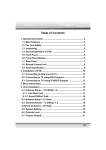
Contents
Page
Page
Components 3
System Settings
Basic Operation
4
Brightness Volume (for use with sat nav software only)
Play Golf
Starting a new game and selectiing a golf course
5
Touch calibration
Find a course using GPS
Power save
Find a course by name
Information
Using Tour Pro Hole View6
Player info
7
User profile
Display lay-up distances and distances to hazards
10
Using FCB (Front, Centre, back) Hole View
11
Player list
Using the Electronic scorecard
8
Game history
Recording Club distances
9
View club distance
Golf settings
Registration Unit of mesurement
Downloading new courses
Hole Advance
Satellite Navigation & GPS Speed Trap locator
(Shotsaver S340 Tour Pro XI version only)
Bunker Alert
Charging
Languages
Troubleshooting 12
Snooper Accessories & Additional Software
14
Service Under Warranty 15
Copyright
Copyright @2013 SNOOPER. All rights reserved.
Product specifications and features are for reference only and are subject to
change without prior notice.
Important Safety Information
• Please read this carefully before using Shotsaver Tour Pro .
• Do not open the case of Shotsaver Tour Pro
• Always treat your product with care and keep it in a clean and dust-free
place
• Do not expose Shotsaver Tour Pro to moisture or humidity.
• Do not expose Shotsaver Tour Pro to extreme high or low temperature.
• Do not attempt to disassemble your product.
• Use only the chargers approved by Performance Products Limited. The use
of any other type may invalidate any approval and warranty.
• Never use the charger if the plug is damaged.
• Never touch the charger if your hands/ feet are wet.
• Do not expose the charger to water, it may cause electrical fires.
• Do not attempt to repair the charger yourself for your own safety.
• To reduce the risk of fire or burns, do not disassemble crush or puncture the
battery.
Declaration
This User Manual is published by SNOOPER without any warranty.
Improvement and changes to this User Manual necessitated by typographical
errors, inaccuracies of current information, or improvements to programs and/
or equipment, may be made by Performance Products Limited any time and
without notice. Such changes will, however, be incorporated into new editions
of this User Manual.
2