1
User Manual
miniCMTS200a
Release 1.5
Page 1 of 29
Product Inspection
Inspect the equipment for shipping damage. Should any damage be discovered, immediately file a claim with the
carrier.
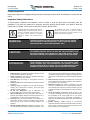
Important Safety Instructions
To ensure proper installation and operation, take a moment to read this guide before proceeding with the
installation. If you have any questions or comments about the product, please contact your dealer or have him
contact the Pico Digital service center at this phone number: 800-421-6511.
The lightning flash with arrowhead symbol, within an
equilateral triangle, is intended to alert the user to the
presence of uninsulated “dangerous voltage” within
the product’s enclosure that may be of sufficient
magnitude to constitute a risk of electric shock to
persons.
1.
2.
3.
4.
5.
6.
7.
8.
9.
The exclamation point within an equilateral triangle is
intended to alert the user to the presence of important
operating and maintenance (servicing) instructions in the
literature accompanying the appliance.
WARNING:
TO REDUCE THE RISK OF FIRE OR ELECTRIC SHOCK, DO NOT EXPOSE
THIS APPLIANCE TO RAIN OR MOISTURE. DO NOT OPEN THE CABINET
REFER SERVICING TO QUALIFIED PERSONNEL ONLY
CAUTION:
TO PREVENT ELECTRIC SHOCK, DO NOT USE THIS (POLARIZED) PLUG
WITH AN EXTENSION CORD RECEPTACLE OR OTHER OUTLET UNLESS
THE BLADES CAN BE FULLY INSERTED TO PREVENT BLADE EXPOSURE.
ATTENCION:
POUR PREVENIR LES CHOCS ELECTRIQUES, NE PAS UTILISER CETTE
FICHE POLARISEE AVEC UN PROLONGATEUR, UNE PRISE DE COURANT
OU UNE AUTRE SORTIE DE COURANT, SAUF SI LES LAMES PEUVENT ETRE
INSEREES A FOND SANS EN LAISSER AUCUNE PARTIE A DECOUVERT
Read Instructions: All safety and operating instructions should
be read before the appliance is operated.
Retain Instructions: The safety and operating instructions
should be retained for future reference.
Heed Warnings: All warnings on the appliance should be
adhered to.
Follow Instructions: All operating and user instructions should
be followed.
Cleaning: Unplug this appliance from the wall outlet before
cleaning. Use a damp cloth for cleaning. Do not use liquid
cleaners or aerosol cleansers.
Do Not Use Attachments: Use of attachments not
recommended by the manufacturer may cause hazards.
Water and Moisture: Do not use this product near water for
example, near a bathtub, washbowl, kitchen sink, laundry tub, in
a wet basement, or near a swimming pool and the like.
Accessories: Do not place this product on an unstable cart,
stand, tripod, bracket, or table. The product may fall, causing
serious injury to a child or adult, and serious damage to the
appliance.
Elevated Operating Ambient: If installed in a closed or multiunit rack assembly, the operating ambient temperature of the
Copyright © 2014 Pico Digital Inc. All rights reserved
www.picodigital.com
10.
11.
12.
13.
rack environment may be greater than room ambient. Therefore,
consideration should be given to installing the equipment in an
environment compatible with the maximum ambient temperature
50°C.
Reduced Air Flow: Installation of the equipment in a rack should
be such that the amount of air flow required for safe operation of
the equipment is not compromised.
Mechanical Loading: The product is designed to be rack
mounted in a standard EIA 19 inch width telecommunications
rack. Mounting of the equipment in the rack should be such that
a hazardous condition is not achieved due to uneven mechanical
loading.
Circuit Overloading: Consideration should be given to the
connection of the equipment to the supply circuit and the effect
that overloading of the circuits might have on over current
protection and supply wiring. Appropriate consideration of
equipment nameplate ratings should be used when addressing
this concern.
Reliable Earthing: Reliable earthing of rack-mounted
equipment should be maintained. Particular attention should be
given to supply connections other than direct connections to the
branch circuit (e.g. use of power strips)
subject to change
CONTACT US 858.546.5050