1
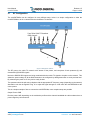
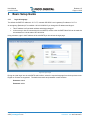
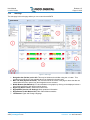
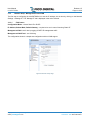
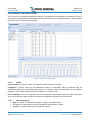
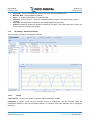
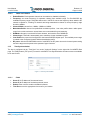
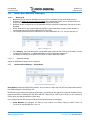
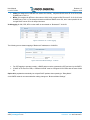
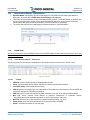
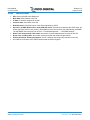
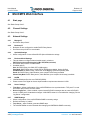
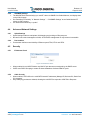
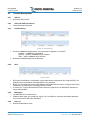
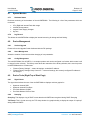
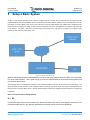
User Manual miniCMTS200a 3.1.6 Release 1.5 Page 20 of 29 Network Setup: DHCP Relay, VLAN tagging 3.1.6.1 Business IP Businesses IPs are used as GIADDR and as source IPv4 addresses for the DHCP Relay function. Business IPs MUST BE from the same IP subnet as IPs assigned by DHCP server. One Business IP is required for each IP subnet for which miniCMTS relays DHCP packets. Business IPs are configured as new IP addresses from the miniCMTS configuration, and require a valid Net Mask. NOTE: Business IPs are created inside miniCMTS as new IP addresses. Enabling “Cable Security” is recommended to protect access to Business IPs from CPEs The example below shows three addresses to be used as GIADDR: 10.0.1.2, 10.0.2.2 and 10.0.3.2. Figure 12 Business IP The “Gateway” field in the Business IP configuration page is optional, but needs to be set when, a VLAN is assigned to Business IP, or a Default Gateway is not provided under “Manage IP”. The setting or changing of the Business IPs does not require MiniCMTS restart. 3.1.6.1.1 Option60 Settings Option 60 identification strings can be configured. 3.1.7 Business Model Settings – “Relay Model” Figure 13 Business Model Settings Relay Model provides the DHCP Relay function, and can also be used to tag CM, CPE and other traffic based on the VLANs assigned to the Business IPs. DHCP relay can be configured for specific device types, as identified by the “Option 60” parameter. Standard device types are predefined, including CM, STB, MTA and CPE. Option 60 for “CPE” is set to “NULL” so as to capture all device types not explicitly matched by other rules. In the example above, DHCP relay is enabled for the following three element types: Cable Modems (IPs assigned for CMs are from subnet 10.0.1.0/24), relayed to DHCP server IP 10.10.10.10, with GIADDR set to 10.0.1.2. Copyright © 2014 Pico Digital Inc. All rights reserved www.picodigital.com subject to change CONTACT US 858.546.5050