1
Viewing People and Content
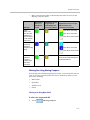
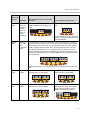
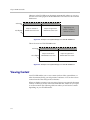
If you have this TPX
HD model...
You will see content on...
TPX HD 306M,
Version 2.0 or later
•
The tabletop content monitors.
•
The auxiliary content monitor, if your room is equipped
with one.
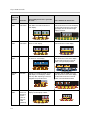
TPX HD 306M,
versions earlier than
Version 2.0
•
The tabletop content monitors, if your room is
equipped with these.
•
The auxiliary content monitor, if your room is equipped
with one.
TPX HD 204M
•
The tabletop content monitors.
•
The auxiliary content monitor, if your room is equipped
with one.
Even if you are using the Polycom TPX HD room for a regular meeting rather
than for a telepresence conference, you can still view content on the tabletop
content monitors and the optional auxiliary content monitor as described in
the table above.
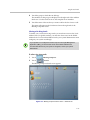
Accessing the Tabletop Content Monitors
In TPX HD rooms equipped with tabletop content monitors, there is one
monitor available for every two seats at the table.
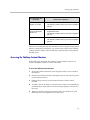
To access the tabletop content monitors:
1
Access the content monitors by removing the wooden covers located in
the tabletop.
2
Press the power button at the bottom right corner of each screen to power
on the content monitors.
3
Firmly pull up at the top of the content monitors to tilt the screen
forward.
4
To make room on the table, you can place the wooden covers behind the
content monitors so that the covers face the large displays at the front of
the room.
5
When you are done using the content monitors, power them off, push
them back down, and replace the wooden covers.
3–7