1
Getting Started with Geant4 Running a Simple Example
2.2. How to Define a Detector Geometry
2.2.1. Basic Concepts
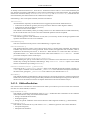
A detector geometry in Geant4 is made of a number of volumes. The largest volume is called the World volume.
It must contain, with some margin, all other volumes in the detector geometry. The other volumes are created and
placed inside previous volumes, included in the World volume. The most simple (and efficient) shape to describe
the World is a box.
Each volume is created by describing its shape and its physical characteristics, and then placing it inside a containing volume.
When a volume is placed within another volume, we call the former volume the daughter volume and the latter
the mother volume. The coordinate system used to specify where the daughter volume is placed, is the coordinate
system of the mother volume.
To describe a volume's shape, we use the concept of a solid. A solid is a geometrical object that has a shape and
specific values for each of that shape's dimensions. A cube with a side of 10 centimeters and a cylinder of radius
30 cm and length 75 cm are examples of solids.
To describe a volume's full properties, we use a logical volume. It includes the geometrical properties of the solid,
and adds physical characteristics: the material of the volume; whether it contains any sensitive detector elements;
the magnetic field; etc.
We have yet to describe how to position the volume. To do this you create a physical volume, which places a copy
of the logical volume inside a larger, containing, volume.
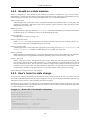
2.2.2. Create a Simple Volume
What do you need to do to create a volume?
• Create a solid.
• Create a logical volume, using this solid, and adding other attributes.
2.2.3. Choose a Solid
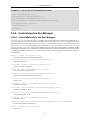
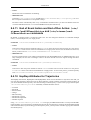
To create a simple box, you only need to define its name and its extent along each of the Cartesian axes. You can
find an example how to do this in Novice Example N01.
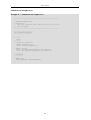
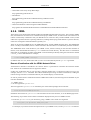
In the detector description in the source file ExN01DetectorConstruction.cc, you will find the following
box definition:
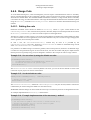
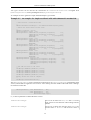
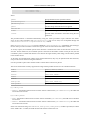
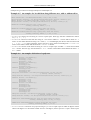
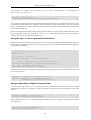
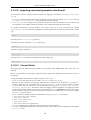
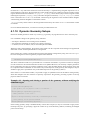
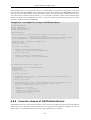
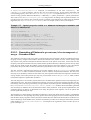
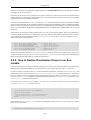
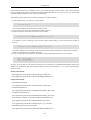
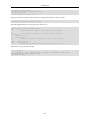
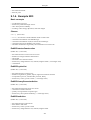
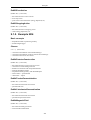
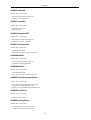
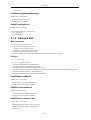
Example 2.3. Creating a box.
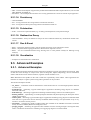
G4double expHall_x = 3.0*m;
G4double expHall_y = 1.0*m;
G4double expHall_z = 1.0*m;
G4Box* experimentalHall_box
= new G4Box("expHall_box",expHall_x,expHall_y,expHall_z);
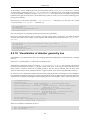
This creates a box named "expHall_box" with extent from -3.0 meters to +3.0 meters along the X axis, from -1.0
to 1.0 meters in Y, and from -1.0 to 1.0 meters in Z.
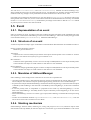
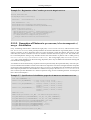
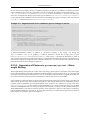
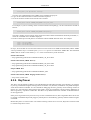
It is also very simple to create a cylinder. To do this, you can use the G4Tubs class.
6