1
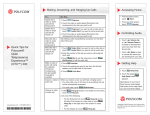
Viewing People and Content
If you
make a
call
between
an...
RPX HD
400 or 200
Series
And a/an...
More than
one other
site
(multipoint
call)
This is what you will see in your RPX
suite...
This is what the far end will see...
In multipoint calls, what you see and what the far end sees depends on a variety of
factors including the number of sites in the call, the types of systems in the call, the
cameras being used, and so forth. If a site is using the VNOC, the VNOC operator
usually configures the layout so that every site sees all the other sites in the call.
The following illustrations show what you might see with one RPX HD 400 Series,
one RPX HD 200 Series, and one TPX HD 306M, Version 2.0 (with EagleEye™ HD
1080i cameras) in a multipoint call.
This is the view from the RPX HD 400:
This is the view from the RPX HD 200:
This is the view from the TPX HD 306M, hardware Version 2.0 or later:
Because different types of video conferencing systems use different aspect
ratios for their video images, the RPX automatically adjusts the video for your
displays. Most systems use either 4:3 aspect ratio (such as the RPX solutions)
or 16:9 aspect ratio (such as OTX and TPX solutions).
3–5