1
About this Guide
This guide introduces you to the Polycom RealPresence Experience High
Definition (RPX HD), explains how to use the Touch Panel, describes what you
can expect to see on the displays during meetings in the RPX suite, and
provides general guidelines for conducting successful meetings.
This guide is intended for all users of Polycom RPX HD 400 Series or RPX HD
200 Series solutions.
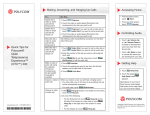
For quick reference information about the RPX, refer to the Quick Tips - Polycom
RealPresence Experience (RPX) and Polycom Telepresence Experience (TPX®)
document. This document describes how to use the Touch Panel to perform
common user tasks, such as making and ending calls, controlling audio, and
sharing content.
Additional Polycom documentation is available at the Polycom web site,
http://www.polycom.com/support/video/index.html.
For support or service, please contact your Polycom distributor or go to
Polycom Support at http://support.polycom.com.
iii