1
Configuration Introduction
Your new scanner has been factory configured with a set of default parameters.
Since many host systems have unique formats and protocol requirements, a
wide range of configurable features that may be selected using this bar code
based configuration tool are provided. Once the configuration is completed, the
scanner stores the settings in nonvolatile memory (NOVRAM). NOVRAM saves
the settings when the power is off.
Note: Bar code descriptions marked with an asterisk ( * ) define a feature that is
a factory default.
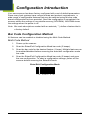
Bar Code Configuration Method
All features can be enabled or disabled using the Multi-Code Method.
Multi-Code Method
1.
Power up the scanner.
2.
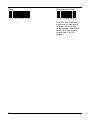
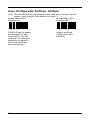
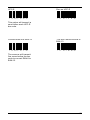
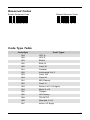
Scan the Enter/Exit Configuration Mode bar code (3 beeps).
3.
Scan the bar code for the desired feature (1 beep). Multiple features can
be enabled/disabled before scanning the enter/exit configuration mode
bar code.
4.
Scan the Enter/Exit Configuration Mode bar code (3 beeps) and save
the new configuration. To abort a configuration change, power off the
scanner before scanning the Enter/Exit code.
Enter/Exit Configuration Mode
³
9
9
9
9
9
9
17