1
pgcollect Reference
9.6.2. Interrupted Profile Runs
pgcollect shuts down the OProfile daemon when interrupted. However, if the script is
terminated with SIGKILL, you must execute the following:
pgcollect -shutdown
Executing this command is important because if the OProfile daemon is left running, disk space
on the root file system eventually is exhausted.
9.6.3. Event-based Profiling Options
-check-events
Do not execute a profiling run, just check the event settings specified on the command line.
-exe <exename>
Specify the program to be profiled. You only need to use -exe when the program argument is
a script that invokes the program.
-list-events
List profiling events supported by the system.
-shutdown
Shut down the profiling interface. You only need to use this option in rare cases when a
profiling run was interrupted and OProfile was not shut down properly.
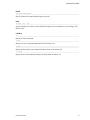
Predefined Performance Data Collection Options
-allcache
Profile instruction, data, and branch cache misses
-dcache
Profile various sources of data cache misses
-imisses
Profile instruction cache-related misses.
-hwtime <millisecs>
Provide time-based sampling only. Specify the sampling interval in milliseconds.
User-Defined Performance Data Collection Options
-es-function <name>
Set profile events via a shell function.
-event <spec>
Manually add an event profile specification. An event profile specification is an opcontrol
'--event' argument; that is, the event profile specification provided on the command line is
appended to '--event=' and passed as an argument to opcontrol.
-post-function <name>
Execute a shell function after profiling is complete.
PGI Profiler User Guide
59