1
Chapter 4
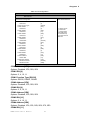
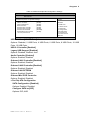
Table 44 OnBoard Peripherals Configuration Settings
BIOS SETUP UTILITY
Main
Ad v a n c e d
Boot
Chipset
OnBoard Peripherals Configuration Settings
USB Functions
[12 USB Ports]
USB 2.0 Controller
[Enable]
Legacy USB Support
[Enable]
Audio Controller
[Enable]
Onboard LAN1 Controller
[Enable]
Onboard LAN2 Controller
[Enable]
Onboard LAN OPTROM
[Disabled]
Onboard Mini PCIE Controller
[Enable]
> On-Chip ATA Devices
Power
Security
Exit
Options
Disabled
12 USB Ports
<> Select Screen
↑↓ Select Item
+- Change Field
Tab Select Field
F1 General Help
F10 Save and Exit
ESC Exit
V02.61 (C)Copyright 1985-2006, American Megatrends, Inc.
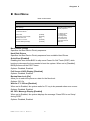
USB Functions [12 USB Ports]
Options: Disabled, 2 USB Ports, 4 USB Ports, 6 USB Ports, 8 USB Ports, 10 USB
Ports, 12 USB Ports
USB 2.0 Controller [Enabled]
Legacy USB Support [Enabled]
Options: Disabled, Enabled, Auto
Audio Controller [Enabled]
Options: Enabled, Disabled
Onboard LAN1 Controller [Enabled]
Options: Enabled, Disabled
Onboard LAN2 Controller [Enabled]
Options: Enabled, Disabled
Onboard LAN OPTROM
Options: Enabled, Disabled
Onboard Mini PCIE Controller
Options: Enabled, Disabled
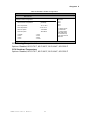
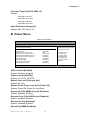
> On-Chip ATA Configuration
SATA Configuration [Enabled]
Options: Enabled, Disabled
Configure SATA as [IDE]
Options: IDE, AHCI
KEMX-4060 User’s Manual
45