1
Chapter 2: Getting Started
MegaWizard Plug-In Manager Flow
2–7
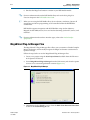
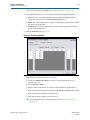
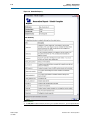
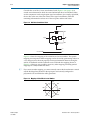
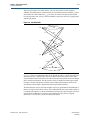
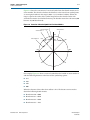
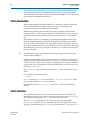
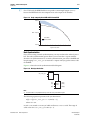
10. Click the Test Data tab (Figure 2–7 on page 2–7).
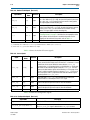
Figure 2–7. Test Data Settings
11. Enter the test data settings for the testbench:
1
IP Toolbench generates a VHDL testbench, which can be used in any Alterasupported VHDL simulator. The testbench uses data as specified on this
tab.
a. Enter the Number of bits per block. The minimum value is equal to the
constraint length.
b. Enter the Signal to Noise ratio in decbels.
c. Enter the Number of blocks.
d. Enter the Puncturing Patterns. You can specify de-punctured data for testing.
f For information about the test data parameterss, refer to “Test Data Tab” on
page 3–14.
12. Click Finish.
Set Up Simulation
An IP functional simulation model is a cycle-accurate VHDL or Verilog HDL model
produced by the Quartus II software. The model allows for fast functional simulation
of IP using industry-standard VHDL and Verilog HDL simulators.
c You may only use these simulation model output files for simulation purposes and
expressly not for synthesis or any other purposes. Using these models for synthesis
will create a nonfunctional design.
November 2012
Altera Corporation
Viterbi Compiler
User Guide