1
Tzonedigital_AVL09 V1.0.4
April 17, 2014
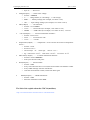
After you send the command of SMS to device, it will reply to your mobile
phone: Receive:’016’OK
*000000,016,1#
2.2.2 Set the sleep mode
Step1: open the sleep mode and the tremble sensor
Format: *$$$$$$,021,XY#
X: close/open the sleep mode
Y: close/open the tremble sensor
For example: *000000,021,11#
When you want to use the sleep mode of function, make sure open the
sleep mode and tremble sensor
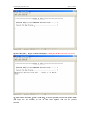
After you send the command of SMS to device, it will reply to your mobile
phone: Receive:’021’OK
*000000,021,11#
Step2: set the time of no tremble into the sleep.
Format: *$$$$$$,044,X#
X: After the tremble sensor don't tremble for X second, tracker will into
sleep mode(unit:sec)
For example:*000000,044,60#
If the device have not tremble for 60 sec, the device will into the sleep
mode.
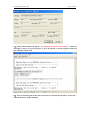
After you send the command of SMS to device, it will reply to your mobile
phone: Receive:’044’OK
*000000,044,60#
Step 3: set the time of tremble to wake up the device
Format: *$$$$$$,043,X#
X: After the tremble sensor continuance vibration for X second, device will
wake up.
For example: *000000,043,30#