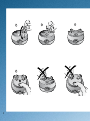
1
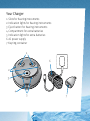
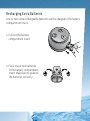
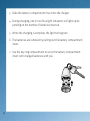
3. Slide the battery compartment insert into the charger.
4. During charging, one or two blue light indicators will light up depending on the number of batteries inserted.
5. When the charging is complete, the light turns green.
6. The batteries are removed by pulling out the battery compartment
insert.
7. Use the key ring compartment to carry the battery compartment
insert with charged batteries with you.
10